
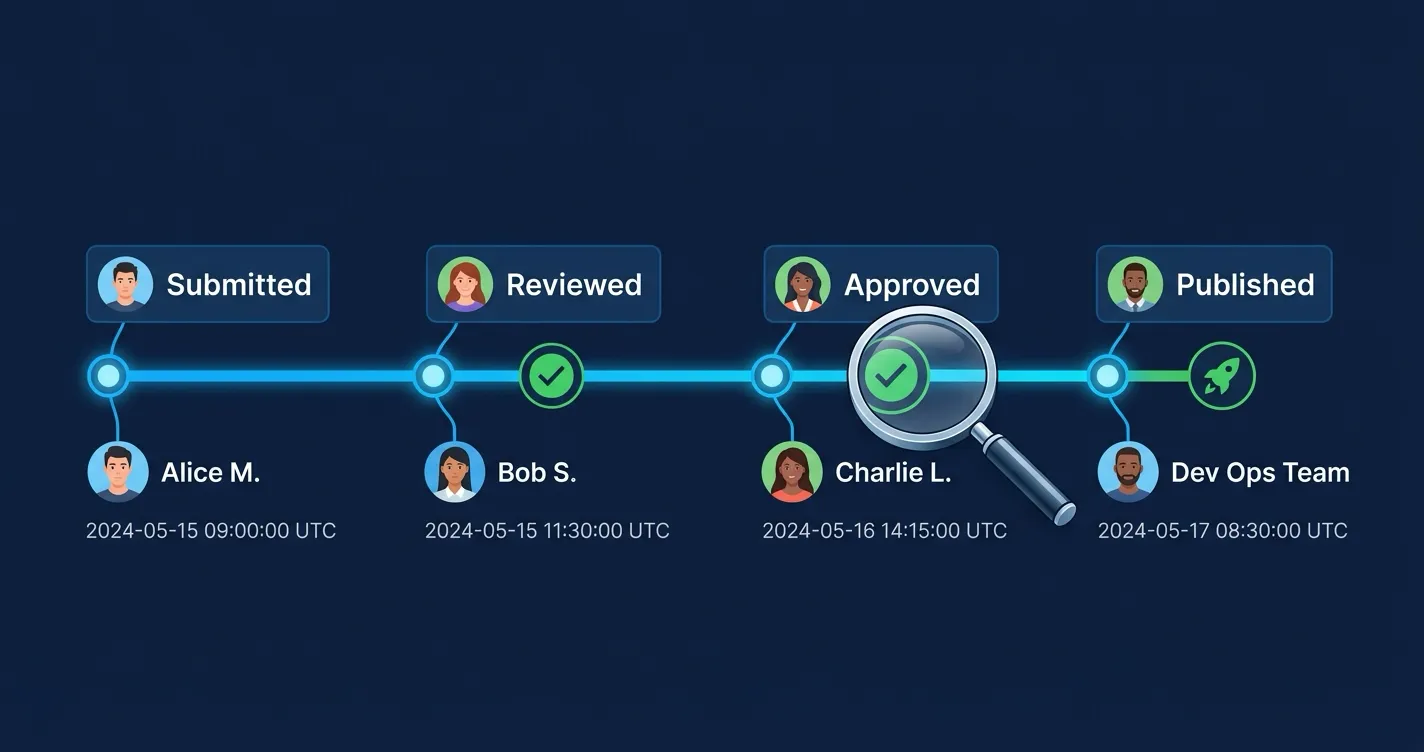
When a compliance auditor asks “who approved this policy page and when?”, your answer should not involve scrolling through Confluence page comments or asking around on Slack. That question should be answerable in seconds from a structured, searchable audit log.
Yet most Confluence teams have no formal record of approval decisions. Page history shows edits, not sign-offs. Comments capture conversations, not structured events. The result is a governance gap that becomes visible at the worst possible time — during an audit, an incident review, or a regulatory inquiry.
This post explains what an effective Confluence approval audit trail should capture, why each element matters, and how ApprovalFlow delivers a purpose-built audit log for Confluence approval workflows.
Why Approval Audit Trails Matter
An audit trail is not just a compliance checkbox. It serves three distinct purposes that affect different stakeholders in your organization.
Compliance and Regulatory Requirements
Regulated industries — financial services, healthcare, government, and any organization pursuing SOC 2 or ISO 27001 certification — need documented evidence that content went through a defined review and approval process. An audit trail provides that evidence without requiring manual record-keeping.
When an auditor asks for proof that a policy document was reviewed before publication, an exportable audit log with timestamps, actor identities, and version references is the difference between a quick answer and a multi-day evidence-gathering exercise.
Accountability and Transparency
Even outside regulated environments, teams benefit from knowing who approved what and when. If a published page contains an error, the audit trail shows the approval chain that let it through. This is not about blame — it is about understanding where the process broke down so you can fix it.
Audit trails also reduce the “I thought you approved it” problem. When approval actions are logged automatically, there is no ambiguity about whether a step was completed.
Process Improvement
Audit data reveals patterns that are invisible without structured logging. If pages routinely get rejected at the legal review step, that signal is only visible if rejections are logged with step-level detail. If certain workflows take weeks to complete while others finish in hours, the timestamps in your audit log make that measurable.
Without structured audit data, process improvement relies on anecdotal feedback. With it, you can make decisions based on what actually happened.
What an Approval Audit Trail Should Capture
Not all audit logs are equally useful. An effective Confluence approval audit trail needs to record specific data points for each event.
Event Types
At a minimum, your audit trail should log these actions:
- Submitted — a page was sent for approval
- Approved — an approver signed off on a step
- Rejected — an approver requested changes
- Cancelled — the author withdrew a submission
- Published — the page reached final approved status
- Reset — an admin reset the approval state
Workflow-level events are equally important:
- Workflow created — a new workflow was defined
- Workflow updated — approvers, steps, or modes were changed
- Workflow synced — pending approvals were rebased after a workflow update
- Workflow deleted — a workflow was removed
The complete set of audit trail events in ApprovalFlow. Approval events track the lifecycle of each page submission, while workflow events track changes to the approval process itself.
Logging workflow changes alongside approval actions gives you a complete picture. If an approval was granted under an old workflow configuration, the sync and update events explain when and how the rules changed.
Data Points Per Event
Each audit event should include:
| Field | Why It Matters |
|---|---|
| Actor | Who took the action (user identity) |
| Timestamp | When it happened (ISO 8601, server-generated) |
| Page ID and title | Which content was affected |
| Page version | The exact version that was reviewed — not just “the page” |
| Workflow name | Which approval process governed the decision |
| Step index and mode | Where in the workflow the action occurred |
| Approval progress | How many approvers had approved vs. how many were required |
| Event metadata | Contextual details like cancellation reason or sync scope |
Version tracking deserves special emphasis. If your audit trail only records “Page X was approved” without capturing the version number, you cannot prove that the currently published version is the one that was actually reviewed. Version-aware logging closes that gap.
What Should Not Be in the Audit Trail
A good audit trail is selective. Free-text comments — the approver’s rationale or feedback — should live in the collaboration layer (Confluence comments), not in the audit log. Mixing commentary with structured event data makes the audit trail harder to query and introduces privacy concerns.
Similarly, audit records should store user identifiers rather than display names. Display names change over time; account IDs do not. Name resolution should happen at read time, not write time.
How ApprovalFlow Handles Audit Trails
ApprovalFlow includes a built-in audit trail that logs all 10 event types described above. Here is how it works in practice.
Automatic Logging
Every approval action generates an audit record automatically. There is no configuration to enable and no manual step for users to remember. When an approver clicks “Approve” or “Reject” in the page byline, the event is logged with the actor, timestamp, page version, workflow, step position, and approval progress.
Workflow administration events — creating, updating, syncing, and deleting workflows — are logged the same way. This means you have a continuous record of both the rules and the decisions made under those rules.
Global Audit Dashboard
ApprovalFlow provides a global audit dashboard accessible from the app’s navigation. The dashboard displays a paginated table with seven columns:
- When — event timestamp
- Action — event type with a color-coded status badge
- Page — the affected page title and ID
- Space — the Confluence space
- Workflow — which workflow governed the action
- Actor — the user who performed the action (resolved to display name at read time)
- Details — contextual metadata like approval counts and step modes
You can page through the full audit history (up to 50 records per page) and drill into any event for detail.
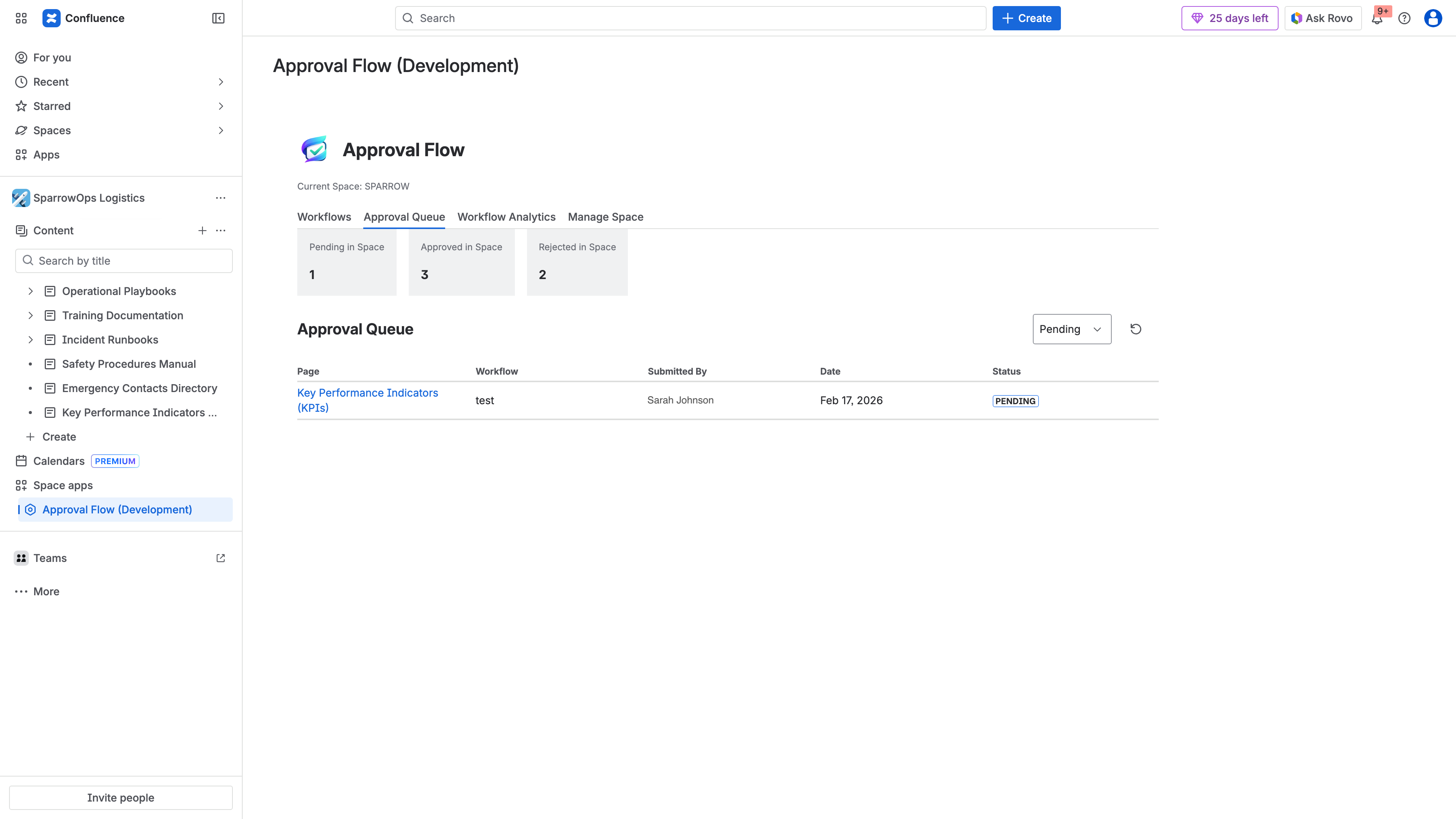
The approval queue provides a centralized view of all approval activity — filterable by status, space, and workflow.
Space-Level Audit View
In addition to the global view, each Confluence space has its own audit view filtered to events in that space. This is useful for space admins who only need to see activity within their area of responsibility, without the noise of events from other spaces.
CSV and HTML Export
Both the global and space-level audit views support export in two formats:
- CSV — structured data with proper escaping, ready for spreadsheet analysis or import into GRC (governance, risk, and compliance) tools
- HTML — a formatted report with metadata headers, suitable for attaching to audit evidence packages or sharing with stakeholders who prefer a readable document
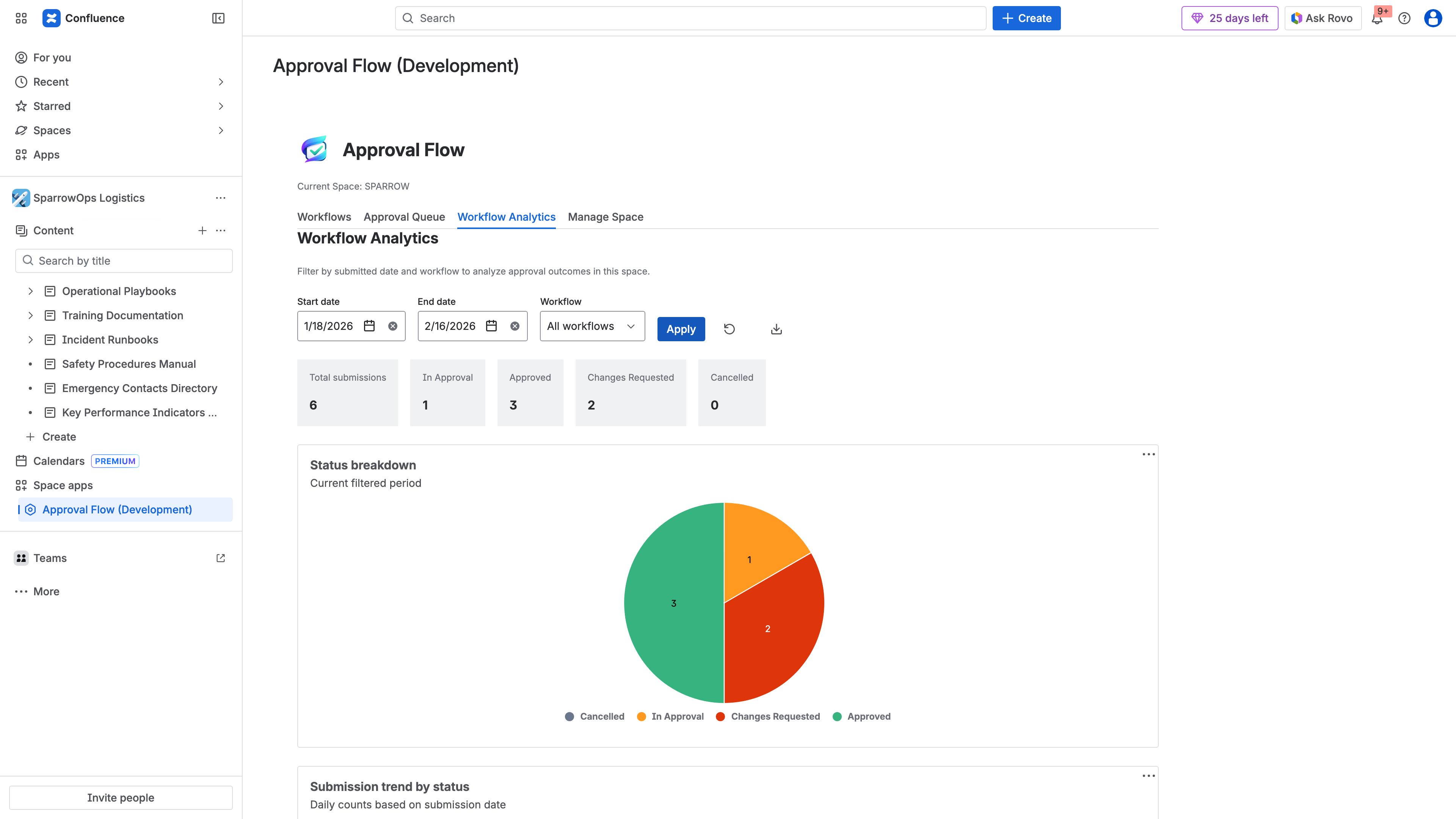
Workflow analytics provide aggregate views of approval performance — submission volumes, status distributions, and trends over time. Data can be exported as CSV or HTML for compliance reporting.
Exports are generated client-side, so they do not add load to your Confluence instance. Each export captures the current paginated view with a timestamp and record count in the filename.
Privacy-Aware Design
ApprovalFlow follows a data minimization approach in its audit trail:
- Actor identities are stored as Atlassian account IDs, not display names. Names are resolved at read time from the Confluence API.
- Approval comments (the free-text feedback an approver writes) are delivered as Confluence page comments, not stored in the audit record. This keeps the audit trail structured and avoids persisting potentially sensitive commentary in a separate data store.
- No external subprocessors — the entire app runs on Atlassian Forge infrastructure, so audit data never leaves the Atlassian platform.
Retention Defaults
ApprovalFlow retains audit records for 365 days and resolved approval records (approved, rejected, or cancelled) for 180 days. This provides a full year of audit history while keeping storage predictable. Older records are purged automatically.
Building an Audit Trail Strategy for Your Team
Having the tooling in place is step one. To get real value from your Confluence approval audit trail, consider these practices.
Define What Requires Approval
Not every Confluence page needs a formal approval workflow. Focus approval requirements on content with governance implications:
- Policies and procedures
- Customer-facing documentation
- Compliance-sensitive content (security policies, data handling procedures)
- Content that requires cross-functional sign-off (legal, finance, engineering)
Pages that are internal notes, meeting minutes, or drafts-in-progress generally do not need audit-logged approvals. Over-applying approval workflows creates noise in your audit trail and slows teams down.
Establish a Review Cadence
Schedule periodic reviews of your audit data. Monthly or quarterly, pull an export and look for:
- Bottlenecks — steps where pages sit waiting for approval longer than expected
- Rejection patterns — recurring rejections at a specific step may indicate unclear guidelines for content authors
- Workflow gaps — pages being published without going through an assigned workflow
These patterns are only visible when you treat audit data as an operational input, not just a compliance artifact.
Prepare for Audit Requests
When an external auditor or internal review asks for evidence, know what you are going to provide before the request arrives:
- Export the relevant audit records (filtered by space or time period)
- Include the workflow configuration showing the approval steps and approvers
- Cross-reference with the page version history to confirm the approved version matches what is published
Having a repeatable process for generating this evidence package reduces the stress and time cost of audit cycles.
Confluence Audit Trails Without a Dedicated Tool
If you are not yet using ApprovalFlow or another approval app, you can approximate an audit trail using native Confluence features — but with significant limitations:
- Page history shows who edited a page and when, but does not record approval decisions
- Page comments can serve as informal approval records (“Approved by Jane, 2026-03-15”), but they are unstructured, unsearchable as audit events, and easily buried in conversation threads
- Space activity feed shows recent changes but has no filtering by event type and no export
These workarounds may satisfy small teams with low compliance requirements, but they break down as team size, content volume, or regulatory scrutiny increases. At that point, a structured audit trail becomes a requirement, not a nice-to-have.
Next Steps
If your team needs a Confluence approval audit trail, you can:
- Install ApprovalFlow from the Atlassian Marketplace (free for up to 10 users)
- Set up your first multi-step approval workflow
- Review the ApprovalFlow documentation for detailed feature guides
For teams already using ApprovalFlow, check the global audit dashboard in your app navigation to explore your existing audit data. If you have not exported an audit report yet, try generating a CSV to see what your compliance evidence package would look like.