
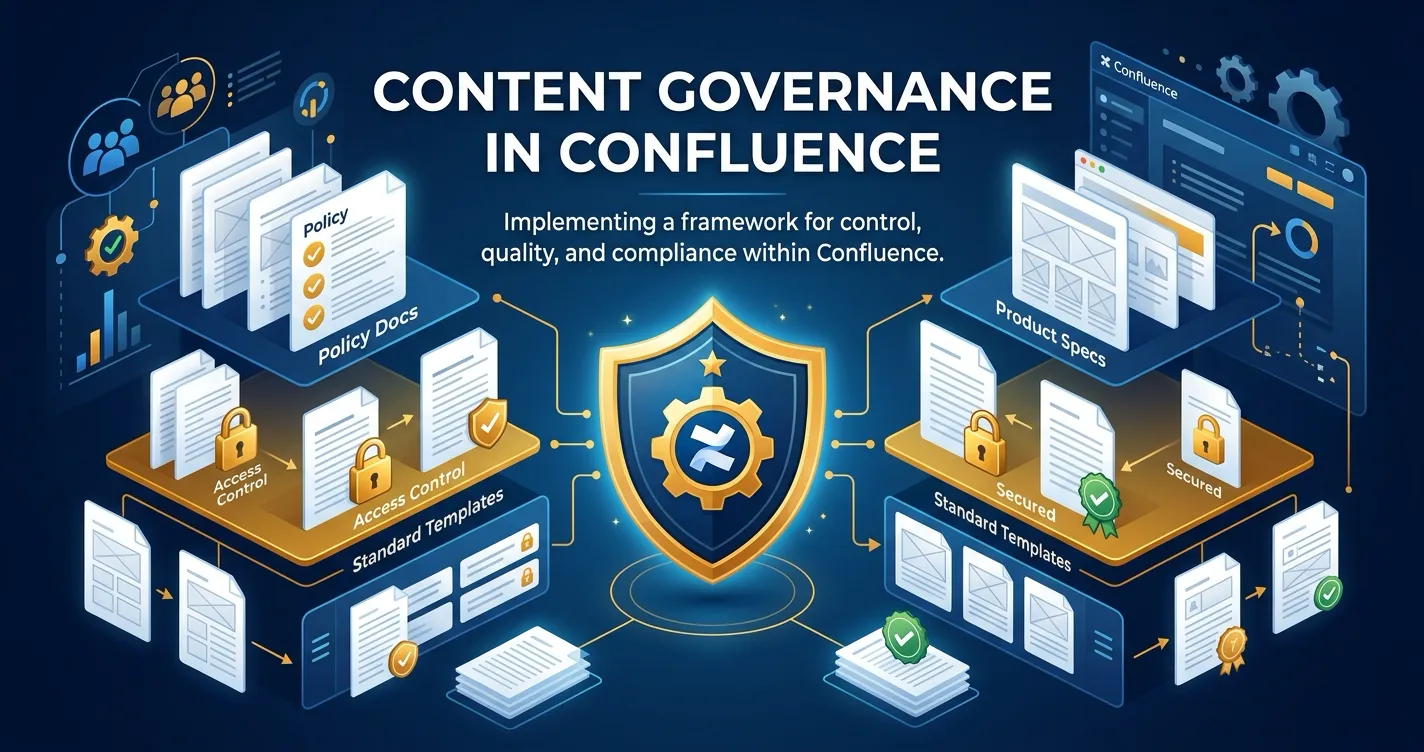
Most Confluence teams start with page restrictions. Someone sets view or edit permissions on a page, and that becomes the governance model. It works when you have five people in a space. It stops working when you have fifty, and it actively creates risk when you have five hundred.
Content governance is the discipline of ensuring that published content meets defined quality, accuracy, and compliance standards before it reaches its audience. In Confluence, where teams publish everything from internal policies to customer-facing documentation, the gap between “anyone can edit” and “this content was formally reviewed” is where governance breakdowns happen.
This post examines why page restrictions alone fall short, what a mature content governance framework looks like in Confluence, and how structured approval workflows close the gap.
The Problem with Page Restrictions as Governance
Confluence page restrictions are access controls. They answer the question “who can see or edit this page?” They do not answer any of the questions that governance requires:
- Was this content reviewed before publishing? Restrictions cannot tell you.
- Who approved the current version? There is no approval record.
- Has the page changed since its last review? Restrictions do not track version-level status.
- How long does content sit in review? There is no review process to measure.
- Can we prove this document was approved for a compliance audit? Not with restrictions alone.
The fundamental limitation is that page restrictions are binary: a user either has access or does not. Content governance requires a process layer that sits on top of access — one that tracks content through defined stages, assigns accountability, and produces evidence of review.
Teams that rely on restrictions alone typically supplement them with informal processes. They tag pages with labels like “needs-review” or “approved,” leave comments asking colleagues to check content, or maintain spreadsheets tracking which pages were last reviewed. These approaches share a common failure mode: they depend entirely on human discipline and break silently when someone forgets a step.
What Content Governance Actually Requires
A functioning content governance framework in Confluence needs four capabilities that page restrictions do not provide:
Structured Review Workflows
Content should move through defined stages before reaching a published or approved state. A policy document might require legal review followed by leadership sign-off. A customer-facing knowledge base article might need technical accuracy review followed by editorial review. These stages should be explicit, assigned to specific reviewers, and enforced by the system rather than by convention.
The key distinction is between advisory review (someone leaves a comment suggesting changes) and gate-based review (content cannot reach an approved state without explicit sign-off from designated reviewers). Governance requires the latter.
Version-Aware Approval Tracking
In Confluence, pages are living documents. Someone approves version 12 of a policy page, then a colleague edits it to create version 13. Without version-aware tracking, the page still appears “approved” even though the approved version is no longer current.
Effective governance tracks approvals at the version level. When a new version is created after approval, the system should reflect that the current content has not been reviewed. This prevents the common scenario where outdated approvals create a false sense of compliance.
Audit Trails
Compliance frameworks like SOC 2, ISO 27001 (Information Security Management Systems, or ISMS), GDPR (General Data Protection Regulation), and HIPAA (Health Insurance Portability and Accountability Act) require evidence that document controls exist and are followed. An audit trail captures:
- Who submitted content for review, and when
- Who was assigned to review it
- What decision each reviewer made (approved, rejected, or requested changes)
- When those decisions were recorded
- What specific page version was approved
Without this trail, an organization may have a documented review process but cannot prove it is being followed. During an audit, the absence of evidence is treated the same as the absence of process.
Governance Analytics
Governance is not a set-and-forget exercise. Teams need visibility into how their review processes are performing:
- Volume metrics: How many pages are being submitted for review? Is the volume increasing as adoption grows?
- Cycle time: How long does content spend in each review stage? Where are the bottlenecks?
- Rejection rates: Are certain content types or spaces seeing high rejection rates that indicate quality issues upstream?
- Compliance coverage: What percentage of pages in a governed space actually go through the review process?
These metrics help governance teams identify problems early, justify process improvements, and report to leadership on content quality posture.
A tiered governance framework for Confluence content. Not every page needs the same level of review — classify content by risk to apply the right level of governance.
Common Content Governance Scenarios in Confluence
Content governance needs vary by content type and organizational context. Here are the patterns that organizations most frequently need to address:
Policy and Procedure Documents
Policies are among the highest-stakes content in any organization. An outdated security policy, an unapproved change to an HR procedure, or an unreviewed update to a compliance document can create real liability.
Governance requirements for policies typically include:
- Multi-step review involving subject matter experts and leadership
- Formal approval records for each published version
- Periodic review cycles (quarterly or annual) to ensure content remains current
- Clear rejection workflows when content does not meet standards
Customer-Facing Documentation
Knowledge base articles, product guides, and support documentation directly affect customer experience and brand trust. Inaccurate or outdated documentation generates support tickets and erodes confidence.
Documentation governance focuses on:
- Technical accuracy review by engineering or product teams
- Editorial review for clarity and consistency
- Version tracking to ensure updates are reviewed before reaching customers
- Faster cycle times compared to policy review, since documentation changes more frequently
Regulated Industry Content
Organizations in healthcare, financial services, government, and other regulated sectors face external requirements around document control. These requirements are not optional and carry audit consequences.
Regulated content governance adds:
- Mandatory approval from designated compliance or legal reviewers
- Complete, tamper-resistant audit trails
- Evidence that review processes are followed consistently, not just defined
- Exportable records for external auditors
Cross-Team Collaborative Content
Large organizations produce content that spans team boundaries: architecture decision records, cross-functional project plans, shared runbooks. These documents need input and sign-off from multiple stakeholders who may not share a Confluence space.
Cross-team governance requires:
- Approval workflows that can involve reviewers from different teams
- Visibility into approval status for all stakeholders
- Consistent processes that work the same way regardless of which space hosts the content
Building a Governance Framework in Confluence
Moving from informal review to structured governance does not require reorganizing your entire Confluence instance overnight. A practical approach builds governance incrementally:
Step 1: Identify Governed Content Types
Start by cataloging which content types require formal review. Not every Confluence page needs governance. Meeting notes and personal scratch spaces do not need approval workflows. Policies, compliance documents, customer-facing articles, and architectural decisions typically do.
Classify content into tiers:
- Tier 1 — Formal governance: Policies, compliance docs, regulated content. Multi-step approval with full audit trail.
- Tier 2 — Lightweight governance: Knowledge base articles, technical guides. Single-step peer review with approval tracking.
- Tier 3 — No formal governance: Meeting notes, drafts, brainstorms. Standard Confluence collaboration features are sufficient.
Multi-step approval, full audit trail, version-aware tracking. SOC 2, ISO 27001, HIPAA content.
Single-step peer review, approval tracking. Knowledge base articles, how-to guides.
Standard Confluence editing. Meeting notes, brainstorms, personal pages.
Step 2: Define Review Stages and Reviewers
For each governed content type, define:
- How many review stages are needed
- Who is responsible for each stage
- Whether each stage requires one reviewer or all assigned reviewers to approve
- What happens when content is rejected (who is notified, what is the resubmission process)
Keep the number of stages reasonable. Two to three stages handle most needs. Each additional stage adds latency to the review cycle. Only add stages that represent genuinely distinct review concerns.
Step 3: Implement Structured Workflows
Replace informal review processes with structured approval workflows that enforce your defined stages. A workflow tool should:
- Route content through sequential approval stages automatically
- Notify reviewers when content needs their attention
- Track approval decisions at the page version level
- Generate audit trail records for every lifecycle event
- Provide status visibility through the Confluence interface (not a separate system)
ApprovalFlow provides these capabilities as a Forge-native Confluence app. Workflows are configured per space, assigned to pages, and managed through a dedicated space interface. Approval status appears directly in the page byline, so authors and reviewers see governance state without leaving their normal workflow. For a hands-on setup guide, see How to Set Up Multi-Step Approvals in Confluence.
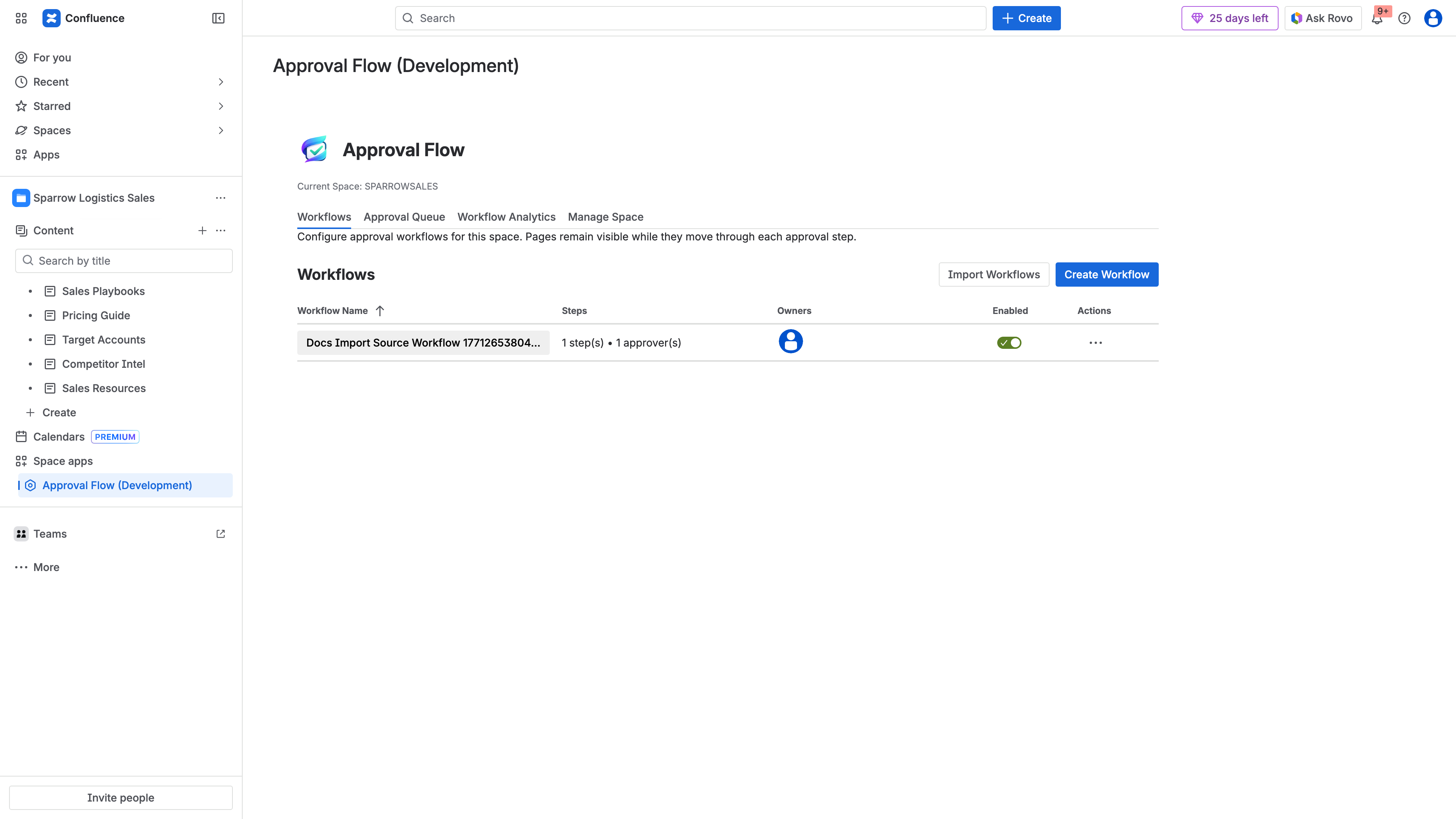
Structured workflows configured per space in ApprovalFlow. Each workflow defines its approval steps, approvers, and approval mode — replacing informal review conventions with enforced gates.
Step 4: Establish Monitoring and Reporting
Once workflows are in place, use governance analytics to monitor process health. Track key metrics:
- Submission volume by space and content type
- Average time to approval to identify bottlenecks
- Rejection rate to spot upstream quality issues
- Overdue reviews to ensure content is not stalled in the review queue
ApprovalFlow’s Workflow Analytics dashboard provides these metrics with date range filtering and export capabilities for compliance reporting.
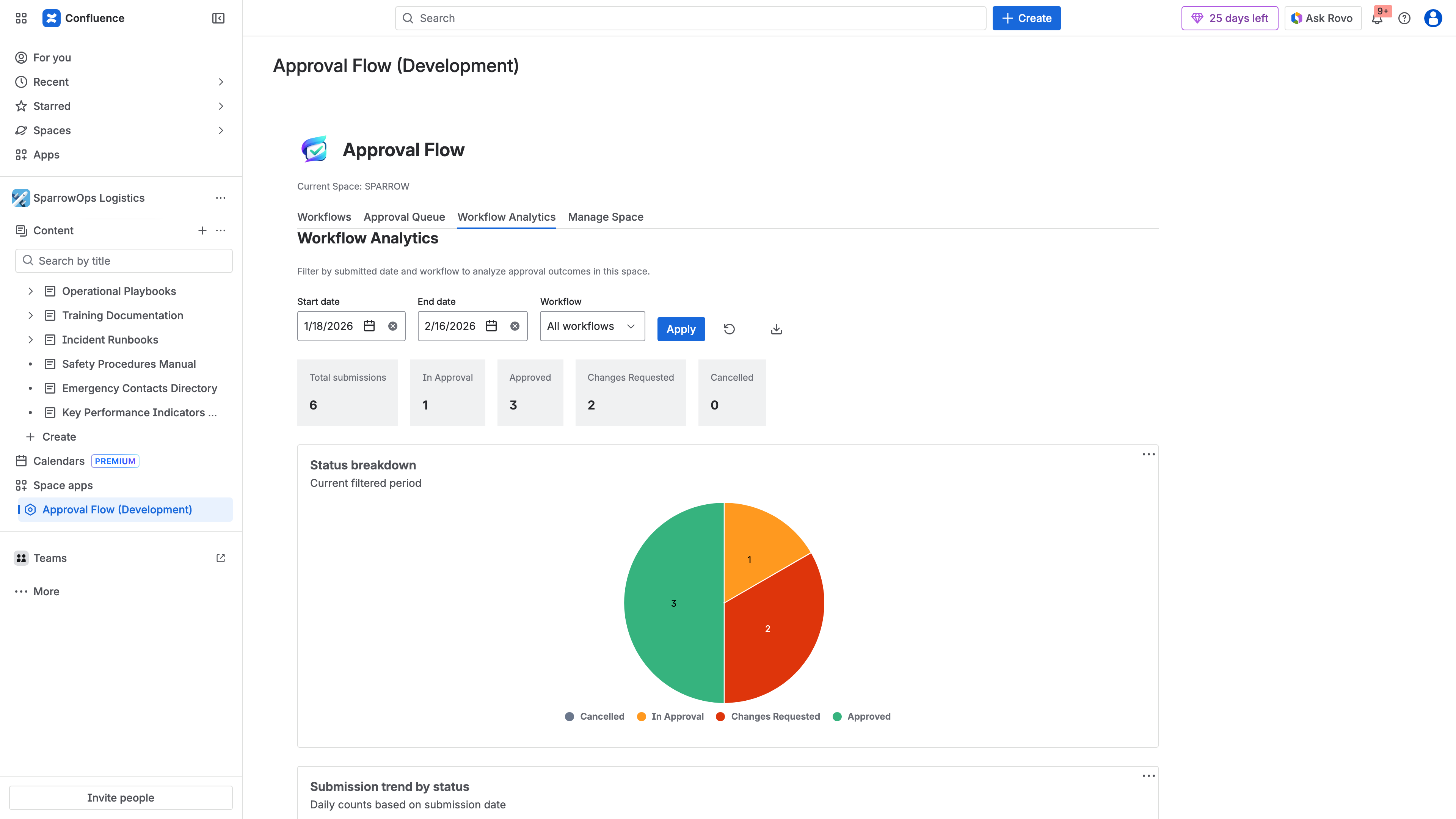
The Workflow Analytics dashboard provides real-time visibility into governance health — tracking submissions, approval rates, rejection patterns, and trends across your content governance process.
Step 5: Iterate Based on Data
Governance frameworks should evolve as your organization’s needs change. Use analytics data to:
- Simplify workflows that have unnecessary stages causing delays
- Add stages where content quality issues indicate insufficient review
- Adjust reviewer assignments to balance workload
- Expand governance to additional content types as the framework matures
The Cost of No Governance
Organizations that delay implementing content governance often do so because informal processes feel “good enough.” The costs of this approach tend to surface in three ways:
Compliance gaps. When an auditor asks for evidence that your security policies were reviewed and approved before publication, “we asked people to leave a comment” is not a satisfying answer. The absence of structured approval records can result in audit findings, remediation requirements, or failed certifications.
Quality drift. Without enforced review processes, content quality degrades gradually. Outdated procedures remain published. Inaccurate documentation persists. The problem is invisible until a customer, regulator, or new employee encounters wrong information and acts on it.
Accountability gaps. When something goes wrong — a policy was followed that turned out to be outdated, documentation led a customer to the wrong configuration — the first question is “who approved this?” Without governance, the answer is nobody, which means the problem is systemic rather than addressable.
Moving Forward
Content governance in Confluence is not about adding bureaucracy. It is about making review processes explicit, traceable, and measurable so that the content your organization publishes meets the standards your stakeholders expect.
Page restrictions remain an important part of access control. They answer the question of who can interact with content. Governance answers the different and equally important question of whether content was reviewed and approved before it was published.
Start with the content types that carry the most risk if they go unreviewed. Implement structured workflows for those first. Use analytics to measure how the process performs. Expand as the framework proves its value.
For teams ready to implement structured content governance in Confluence, ApprovalFlow provides the workflow, audit trail, and analytics capabilities described in this post. It runs entirely on Atlassian Forge with no external subprocessors, so your governance data stays within your Atlassian infrastructure. Pricing starts free for up to 10 users, then $0.20/user/month for teams of 251–1,000 users. All plans include a 30-day free trial. Visit the ApprovalFlow documentation or install from the Atlassian Marketplace to get started.