
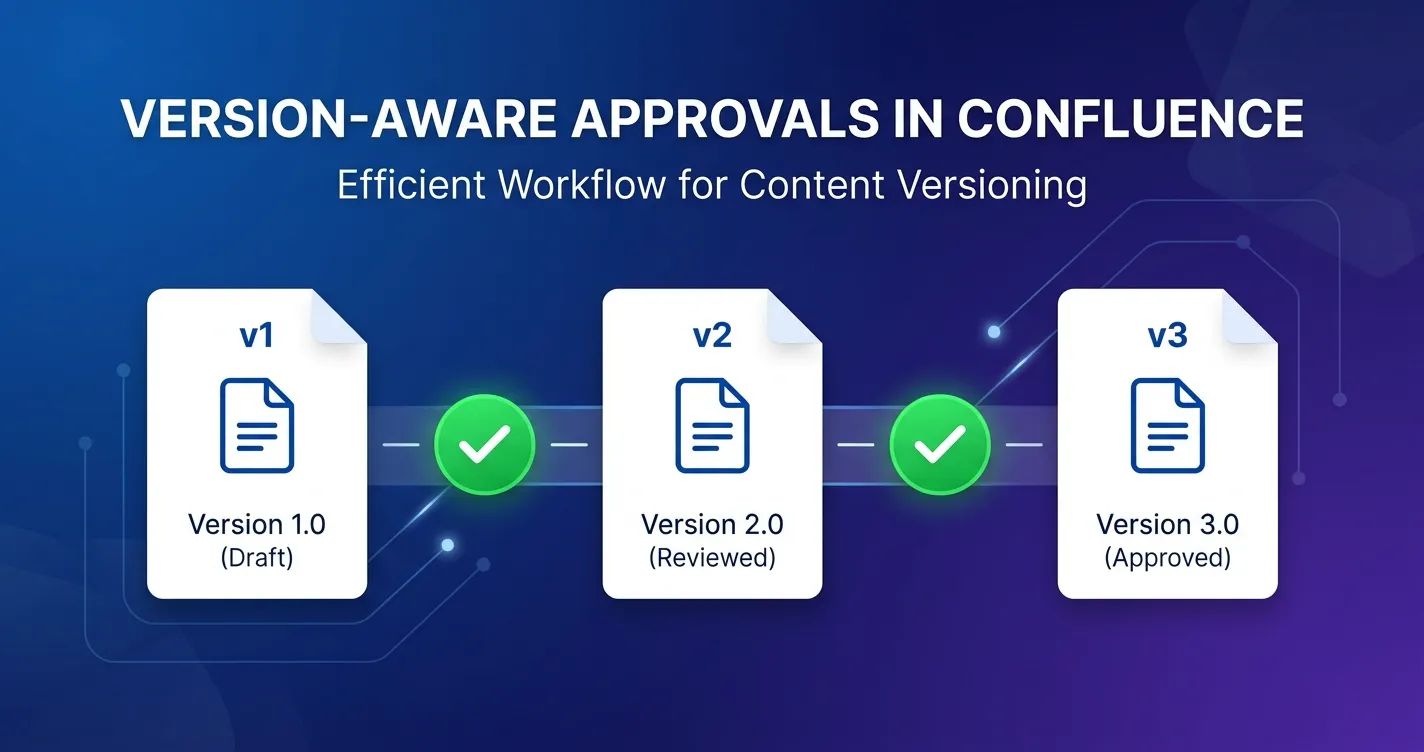
Confluence pages are living documents. Someone publishes a policy, a colleague adds a section, another person fixes a typo, and within a week the page has moved through several versions. That is how collaborative editing is supposed to work.
The problem starts when approvals enter the picture. If your approval tool marks a page as “Approved” without tracking which version was approved, every subsequent edit silently invalidates that approval. The page still shows a green “Approved” badge. The content has changed. Nobody knows.
This is the version-awareness gap, and it is one of the most common compliance risks in Confluence content governance. This post explains why it matters, how it works in practice, and how to close the gap.
The Silent Approval Invalidation Problem
Consider a scenario that plays out in organizations every day:
- A compliance officer writes a data handling policy in Confluence (version 5).
- The page goes through a two-step approval workflow. Legal reviews and approves. The CISO reviews and approves. The page is now formally approved.
- Two weeks later, a team member updates the policy to reflect a new vendor relationship (version 6).
- The page still shows “Approved.”
At this point, the approval record is lying. It reflects a decision made about version 5, but the page now shows version 6 — content that no approver has seen. If an auditor asks “was this policy approved before publication?” the honest answer is: the previous version was. The current version was not.
This is not a theoretical risk. Organizations that rely on page-level (rather than version-level) approval tracking cannot distinguish between “this content was reviewed and approved” and “some earlier version of this content was reviewed and approved.” For compliance purposes, the distinction is critical.
What Version-Aware Means in Practice
A version-aware approval system does two things that page-level systems do not:
First, it ties every approval decision to a specific page version number. When an approver clicks “Approve,” the system records not just the decision and timestamp but also the exact version of the page that was reviewed. The approval record for a page might look like: “Version 12, approved by Sarah Chen on March 15, 2026 at 14:32 UTC.”
Second, it detects when the page has moved past the approved version. When anyone views the page after an edit, the system compares the current version number against the version recorded in the most recent approval. If the numbers differ, the approval status changes to reflect that the current content has not been reviewed.
This comparison is the core mechanism. It transforms approvals from a static label (“this page was approved at some point”) into a dynamic status (“the version you are currently reading was — or was not — approved”).
The version-aware approval lifecycle. When a page is edited after approval, the status changes to “Approved Stale” — requiring resubmission of the new version through the full workflow.
How Stale Approvals Surface
In ApprovalFlow, when a page is edited after approval, the byline status changes from Approved (green) to Approved (Stale) (orange). This is a computed status — the original approval record is preserved unchanged, and the system calculates the stale state by comparing version numbers in real time.
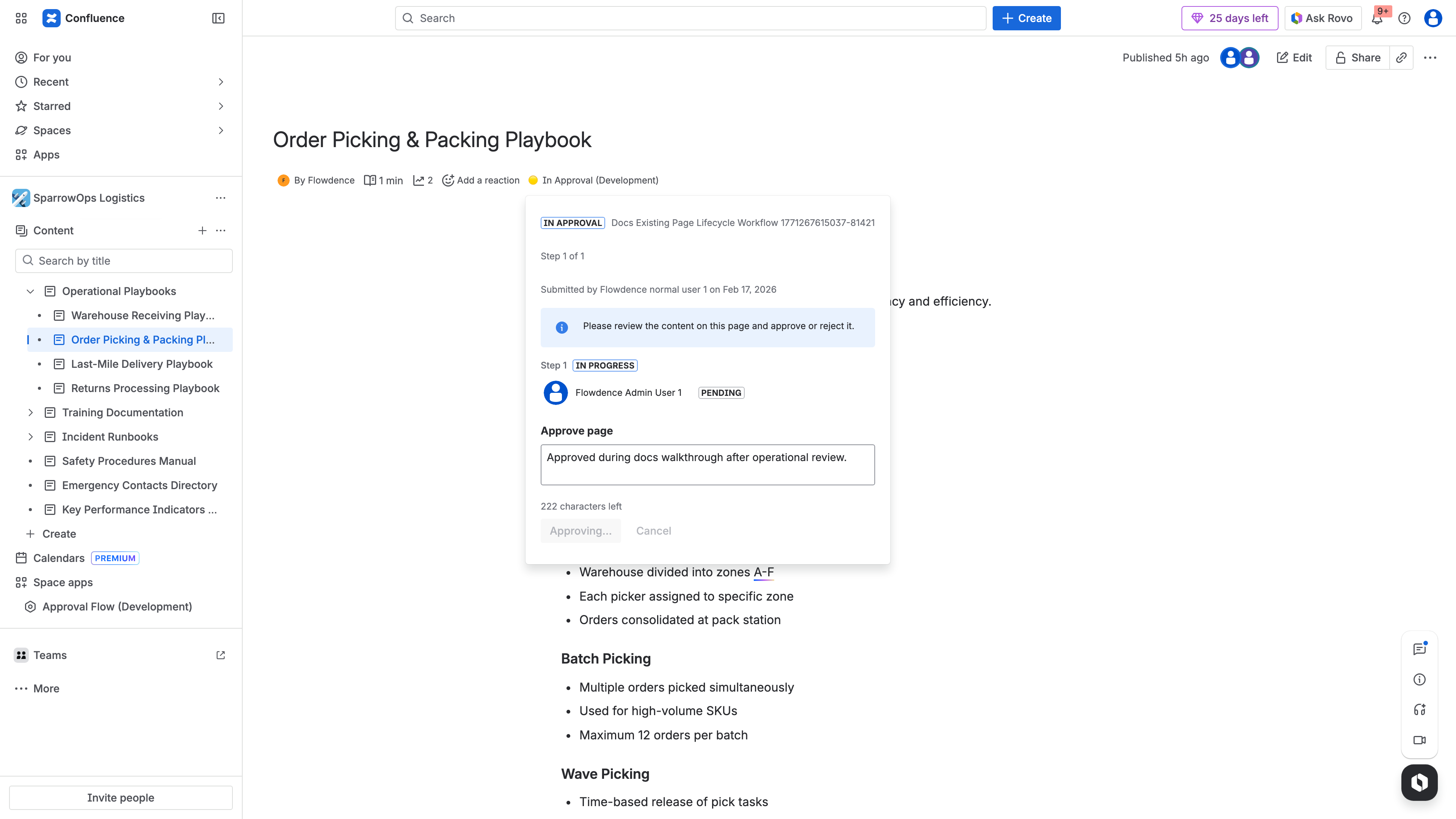
The Approved byline status in ApprovalFlow — tied to a specific page version. If the page is edited, this status will change to Approved (Stale).
The stale indicator communicates three things at a glance:
- To authors: This page has been edited since its last approval. If governance requires it, you should resubmit for review.
- To reviewers: The approval you previously gave applies to an earlier version. The current content has not been through the workflow.
- To auditors: The system is tracking version-level approval status. Stale approvals are surfaced, not hidden.
This visibility is the difference between a governance tool that creates a false sense of compliance and one that actively maintains compliance integrity.
The Resubmission Flow
When a page is in the stale state, the author can resubmit the current version for approval. In ApprovalFlow, this works as follows:
- The author sees the orange “Approved (Stale)” badge in the page byline, along with a message indicating the page has changed since its last approval.
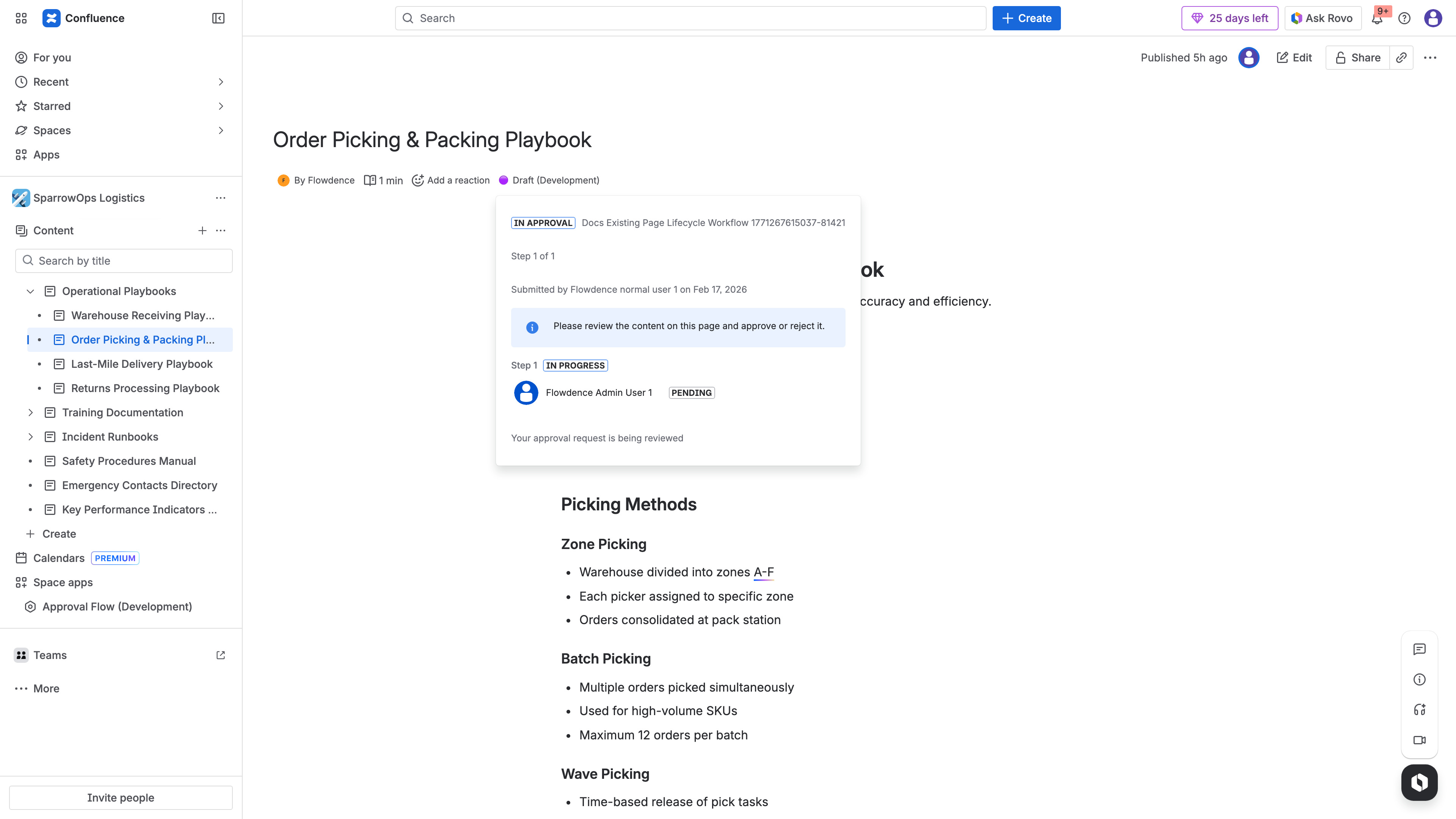
After resubmission, the byline shows “In Approval” status — the new page version is now under review.
- The author clicks to request approval for the current version.
- A new approval record is created, tied to the current version number. The workflow restarts from step one.
- Approvers are notified via @mention comments that include a link to the specific version under review.
- When all steps are completed, the status returns to “Approved” (green) — now reflecting the current version.
The previous approval record is not overwritten. It remains in storage as part of the audit trail, documenting that version N was approved on a certain date, and version N+3 was subsequently approved on a later date. This chain of version-specific approvals is exactly what compliance audits require.
Why Page-Level Approvals Fall Short
Many approval tools for Confluence track status at the page level: a page is either approved or not. This model has a fundamental limitation — it cannot answer the question “was this version approved?”
Page-level approval systems typically exhibit these behaviors:
- Edit after approval: The page remains “Approved” regardless of changes. No notification. No status change. No audit trail entry.
- Resubmission: Not possible in a meaningful sense, because the system does not distinguish between versions. Submitting for approval again simply overwrites the previous record.
- Audit trail: Shows that “the page” was approved, but cannot confirm that the currently published content matches what was reviewed.
For teams where content changes infrequently and governance requirements are light, this model may suffice. But for organizations managing policies, compliance documentation, regulated content, or any material where post-approval changes create risk, page-level tracking introduces a gap that grows with every edit.
Page-Level Approvals
- Approval tied to the page, not a version
- Edits after approval go undetected
- "Approved" label persists regardless of changes
- Audit trail cannot confirm current content was reviewed
Version-Aware Approvals
- Approval tied to specific page version number
- Edits trigger "Approved Stale" status
- Resubmission creates fresh approval record
- Audit trail tracks every version independently
Compliance Implications
Version-aware approval tracking directly supports requirements in several compliance frameworks:
SOC 2 (Trust Services Criteria) requires organizations to demonstrate that changes to information are authorized. Version-aware approvals provide evidence that each version of a controlled document was reviewed and authorized before it became the current version.
ISO 27001 (Information Security Management Systems) includes document control requirements under Annex A. Version-specific approval records demonstrate that document changes follow a controlled process with defined review and authorization steps.
HIPAA (Health Insurance Portability and Accountability Act) requires covered entities to maintain policies and procedures in written form. Version-aware tracking ensures that policy updates are reviewed before becoming effective, with an audit trail that demonstrates compliance.
GxP frameworks (Good Practice regulations in pharmaceuticals and life sciences) require version-controlled document approval with full traceability. Each version must be independently reviewed and approved, with records showing exactly who approved which version and when.
In all of these frameworks, the ability to demonstrate that “the currently published version was reviewed and approved” — not just “this document was approved at some point in the past” — is what auditors are looking for.
Building Version-Aware Governance
If your organization is currently using page-level approvals or informal review processes, transitioning to version-aware governance involves three considerations:
Identify High-Risk Content First
Not every Confluence page needs version-aware approval tracking. Start with content where post-approval edits create the most risk:
- Compliance policies and procedures
- Customer-facing documentation
- Security and access control policies
- Regulatory filings and reports
- Architectural decision records that govern technical implementation
For a comprehensive approach to identifying governed content, see Content Governance in Confluence: Moving Beyond Page Restrictions.
Configure Workflows That Match Your Review Needs
Version-aware approvals work within the same workflow structure as any approval process. Define your steps, assign reviewers, and set your approval mode (any approver or all approvers per step). The version tracking is automatic — every submission captures the current version number.
For a step-by-step setup guide, see How to Set Up Multi-Step Approvals in Confluence.
Establish Resubmission Expectations
With version-aware tracking, teams need clear expectations about when resubmission is required. Minor typo fixes may not warrant a full re-approval cycle, while substantive content changes absolutely do. Define guidelines for your team:
- Always resubmit: Changes to factual claims, policy requirements, technical specifications, compliance language.
- Use judgment: Formatting changes, minor wording improvements, link updates.
- Consider periodic review: Even without edits, some content types benefit from scheduled re-approval (quarterly or annual) to confirm continued accuracy.
Version Awareness as a Governance Foundation
Version tracking is not a nice-to-have feature bolted onto an approval workflow. It is the mechanism that makes approval records trustworthy. Without it, an “Approved” label on a Confluence page is a statement about the past that may or may not reflect the present.
For teams managing content that matters — policies, compliance documentation, customer-facing materials, regulated artifacts — the question is not whether your approval tool tracks versions. The question is what happens when it does not, and whether you would know.
ApprovalFlow tracks approvals at the page version level, surfaces stale approvals with clear visual indicators, and maintains a complete audit trail across all versions. It runs on Atlassian Forge with no external subprocessors. Pricing starts free for up to 10 users, then $0.20/user/month for teams of 251–1,000 users. All plans include a 30-day free trial. See the full feature overview or try it free on the Atlassian Marketplace.
Related Reading
- Content Governance in Confluence: Moving Beyond Page Restrictions — Why page restrictions alone fall short for governance
- How to Set Up Multi-Step Approvals in Confluence — Step-by-step workflow setup guide
- Confluence Content Governance Checklist — Practical checklist for governance readiness
- ApprovalFlow Documentation — Full product documentation